AI Work Scratchpad for Developers
Smart Paste and Notes for developers
The short answer
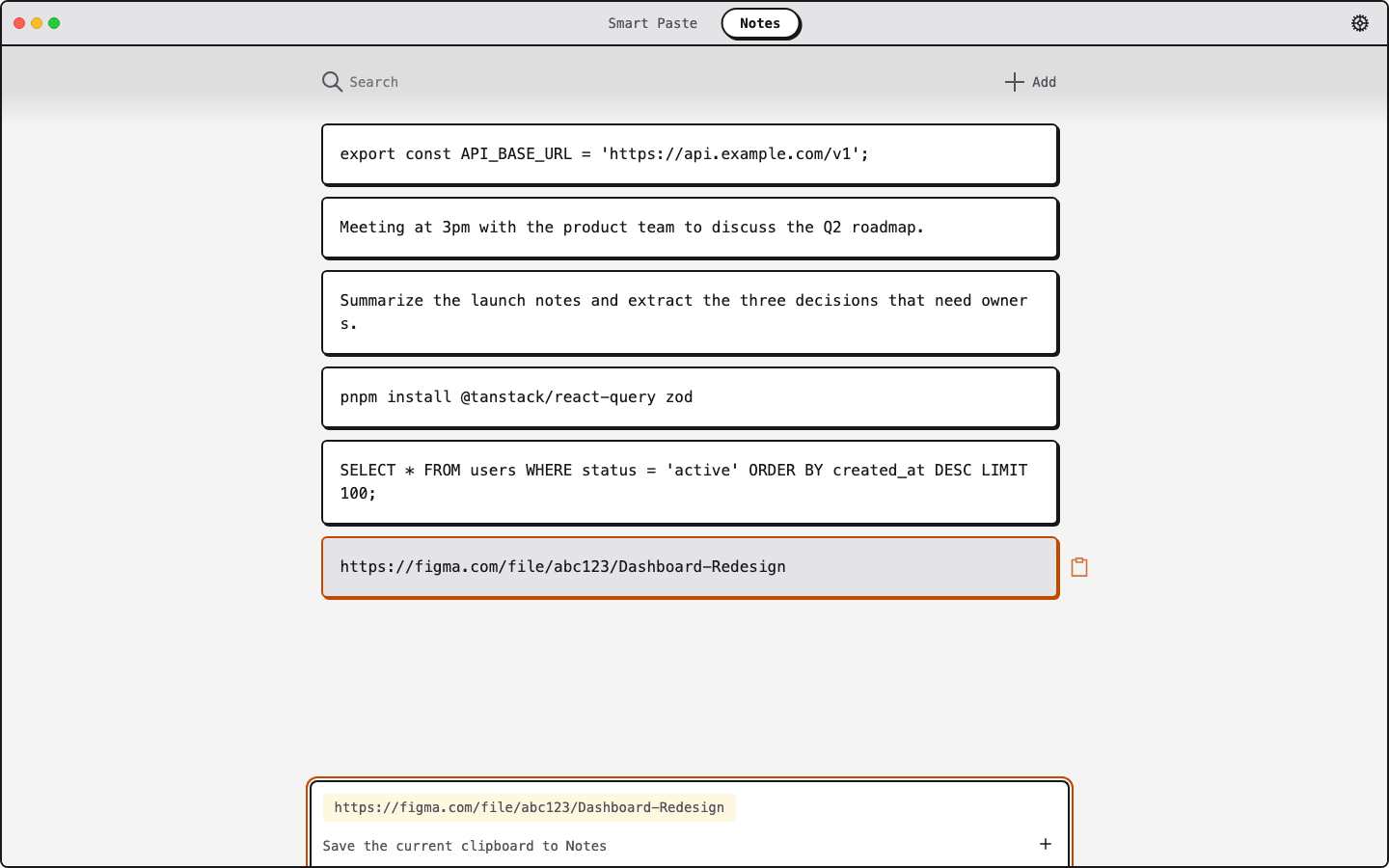
ClipMate helps developers reuse code, shell commands, JSON, URLs, and error messages without recording every clipboard change. Work from the current clipboard, save durable reference material deliberately in Notes, and use Smart Paste to clean up text before it goes into an issue, pull request, or document. Signed-in users can sync Notes and saved Smart Paste prompts.
A faster loop for technical snippets
Work from the current clipboard
Preview the current code, command, JSON, URL, error, or screenshot without turning each clipboard change into a searchable archive.
Save what you reuse
Add setup commands, API examples, and reference snippets to Notes when you want to keep them. Signed-in users can sync Notes and saved Smart Paste prompts across devices.
Clean up before you paste
Use Smart Paste to reformat or clarify copied text before pasting it into an issue, commit message, pull request, or technical document.
Works across your development machines
Download ClipMate for macOS and Windows 11. Notes and saved prompts are free; sign in for 3 Smart Pastes/day, or use Pro for 25/day and priority support.
Build a faster developer scratchpad
Download ClipMate free and keep reusable developer context in synced Notes.