AI Work Scratchpad for Writers
Smart Paste and Notes for writers
The short answer
ClipMate helps writers move between research, drafts, Notes, and publishing tools without recording every clipboard change. Save references deliberately in searchable Notes, reuse saved prompts, and use Smart Paste to fix grammar, change tone, summarize, or translate the current clipboard before you paste.
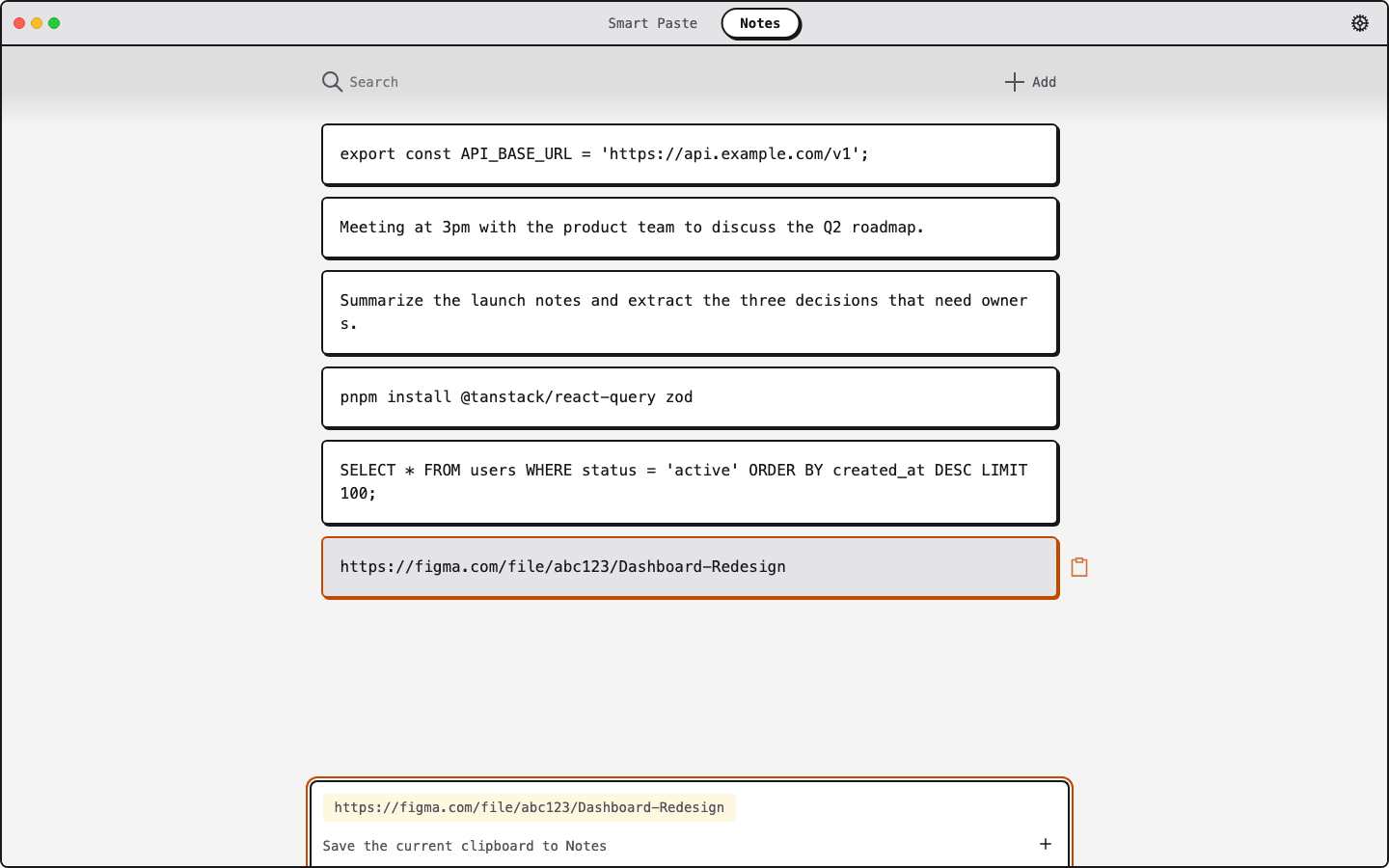
From copied research to polished text
Keep selected research within reach
Add useful quotes, links, and references to searchable Notes instead of recording every clipboard change or reopening tabs later.
Polish in the clipboard loop
Rewrite a rough sentence, summarize a long note, translate a paragraph, or make a draft more professional before it reaches your editor or CMS.
Choose what deserves to stay
Add a source, style guide, or reusable template to Notes when you want it to persist. Signed-in users can sync Notes and saved Smart Paste prompts.
Write wherever your work lives
ClipMate runs on macOS and Windows 11. Sign in for 3 free Smart Pastes/day; Pro raises the limit to 25/day and adds priority support.
Keep writing without losing your context
Download ClipMate free and turn copied text into a faster writing workflow.